

Zite makes it easy to manage multiple clients and grant them each their own organization — all without per-seat charges.
Set up an organization for each client
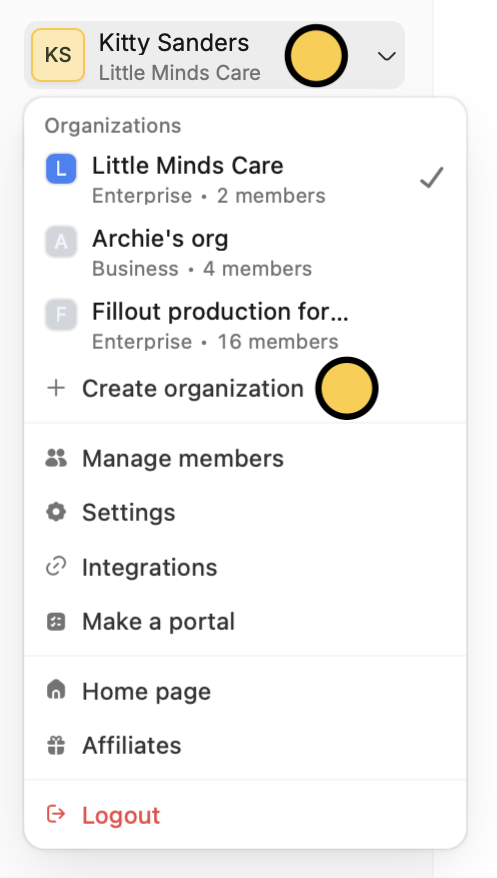
We recommend creating a separate organization for each client. Each organization has its own apps, forms, databases, and billing plan, keeping client work fully isolated. On the upper left corner, click yourAccount name followed by Create organization.
Add clients and team members
Invite clients or teammates to the appropriate organization. You can choose to invite them as:- Admin — full access to all workspaces and settings within the client’s organization
- Member — can create their own forms and apps, but cannot edit others’
Invite members in the upper right area.

Export and deliver apps to clients
If you’ve already built something in a different organization — for example, a prototype or reusable template — you can transfer it between accounts. Hover over an app and click followed byExport app.
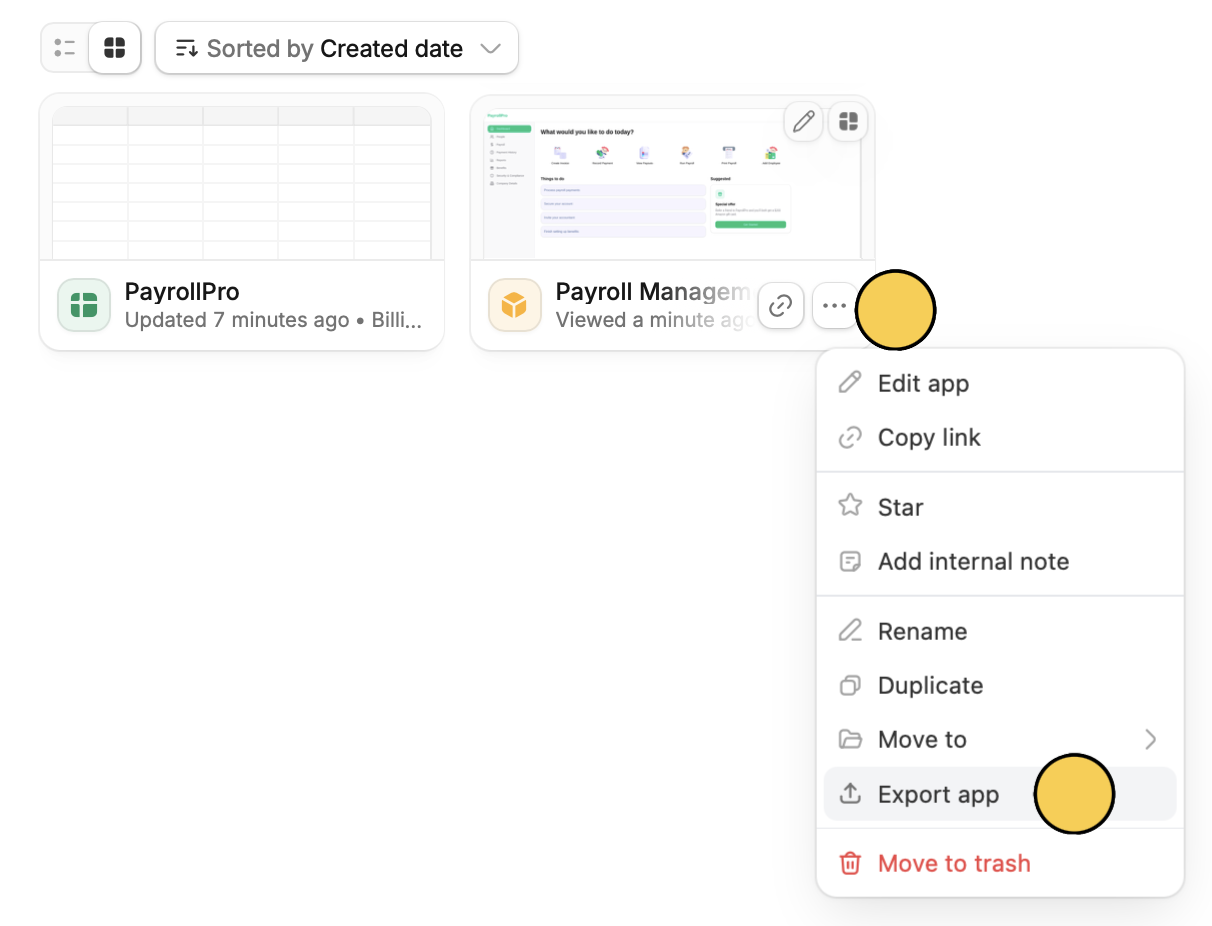
App followed by Import existing Zite.
See Import and export apps for the full guide.
Become a partner
Agencies and consultants who regularly build with Zite can apply to become a solution partner and receive:- A free Team plan for your agency (a 300 USD/month value with unlimited seats and 800 Zite credits/month)
- 30% recurring commission on client referrals through the affiliate program
- Priority support from the Zite team
- More perks depending on your Zite partner tier
Have questions about the partner program? Reach out to partners@zite.com.