

Overview
A quick comparison between the two is Fillout lets users manually build forms with structured fields and logic, whereas Zite lets users build custom AI-generated apps for more comprehensive and advanced use cases.How to build an app in Zite
On your dashboard, describe the app you want to build. Zite will automatically generate one for you. You can make changes anytime with prompts, selective edits, and theme customization. Check out our quick guides here.Rebuild a Fillout form as an app
On your dashboard, hover over a form and click theellipsis followed by Rebuild as app.
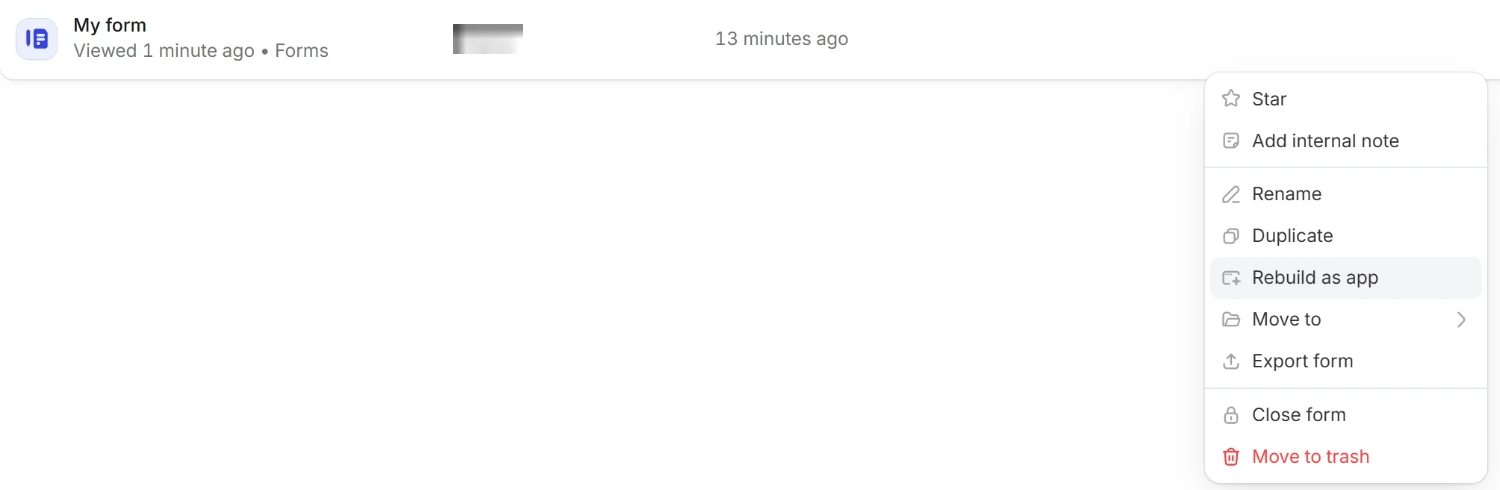
Rebuild as app.
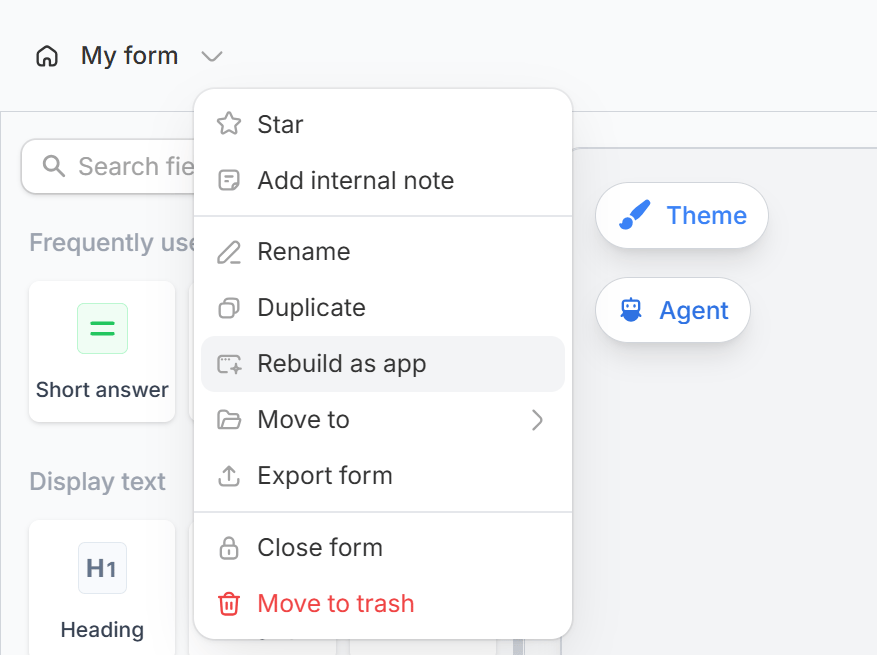
Common use cases
You can build Zite apps like:- Onboarding & Client Portals: Manage user onboarding, accounts, and ongoing access
- Custom Orders & Quotes: Handle complex order and quote workflows
- Operations Logs & Updates: Track inventory and operational updates
- Product & Marketplace Orders: Manage product listings and customer orders at scale
- Content Submission & Approval: Track submissions, approvals, and revisions
- Education & Progress Tracker: Monitor learning progress and course completion
- Booking & Scheduling Systems: Manage appointments and multi-calendar scheduling
- Membership & Subscription Apps: Manage user access, memberships, and subscriptions
Start from a ready-made solution in the Zite Marketplace. Each solution is a full workspace with its apps and database already working together. Learn more about Zite Solutions.