

What is form abandonment
Form abandonment occurs when respondents start filling out a form but exit before reaching the last page. When respondents abandon forms, it indicates a lost opportunity for capturing valuable leads or completing transactions. Addressing your page drop-off rate is crucial for improving overall conversion rates, enhancing customer satisfaction, and maximizing business outcomes.Send a reminder email
You can start from your form’s settings using the steps below, or from its workflows: in your form, clickIntegrate on the top menu followed by Workflows. Under Conversion kit, choose Send email if form abandoned or Send Slack message if form abandoned.
1
Open form settings
Click the 
settings icon in the upper right area followed by Conversion kit on the left side.2
Choose a Fillout workflow template
Pick your preferred template. In this example, we’ll send an email if a form has been abandoned.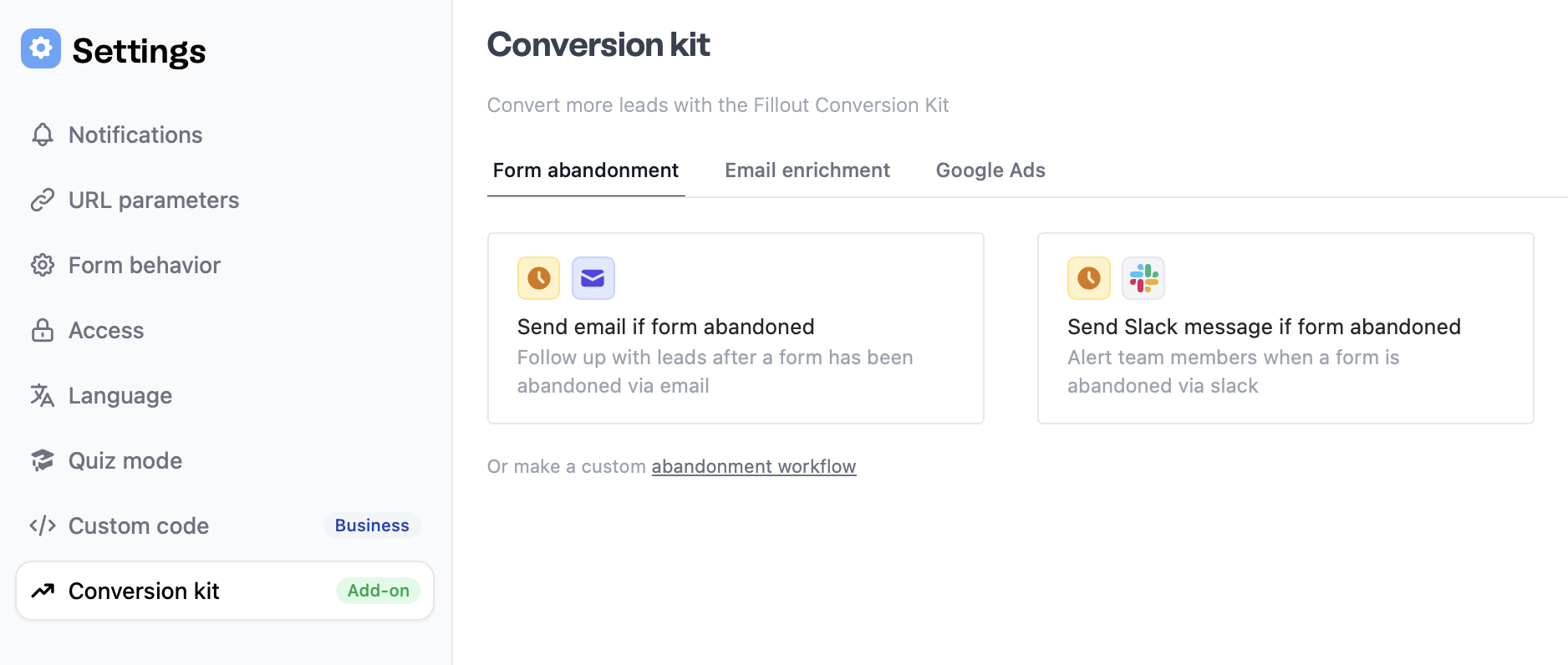
3
Edit the trigger
The default time frame for a message to be sent is 30 minutes after the form is abandoned. 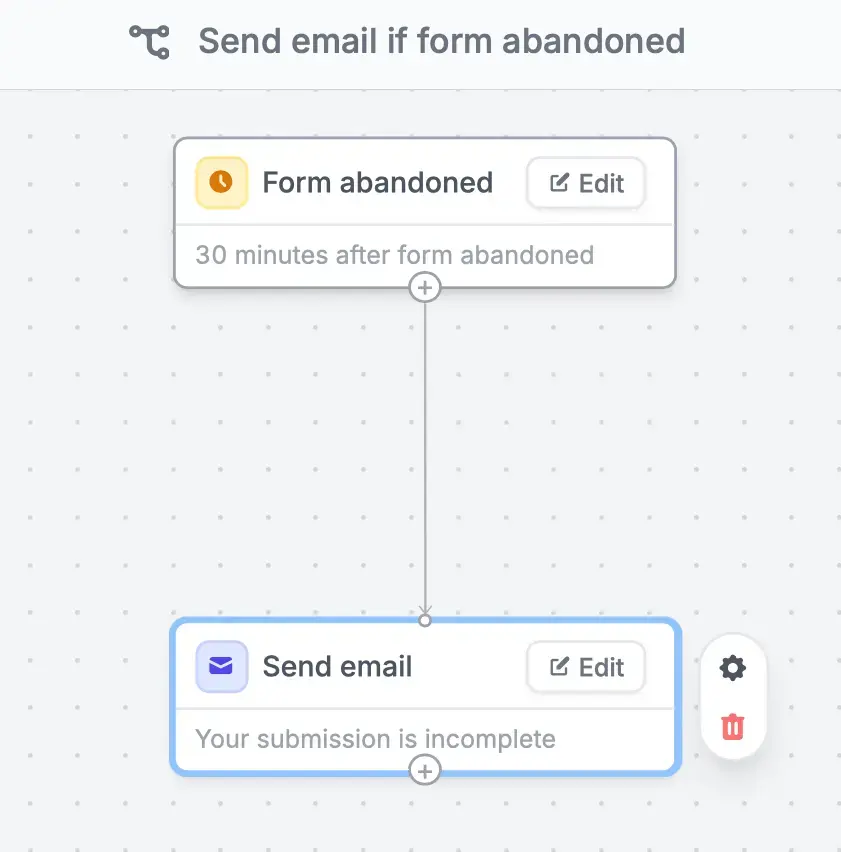
Edit to change the time frame.4
Format your email
Edit the contents of your email. You can also add attachments, copy colleagues, and more under Advanced. More info here.If your organization was created on or after October 5, 2026 and is on the Free plan, reminder emails aren’t sent until you verify your account or upgrade. Learn more here.
Email on top to format the style of your message. Check this section to learn more.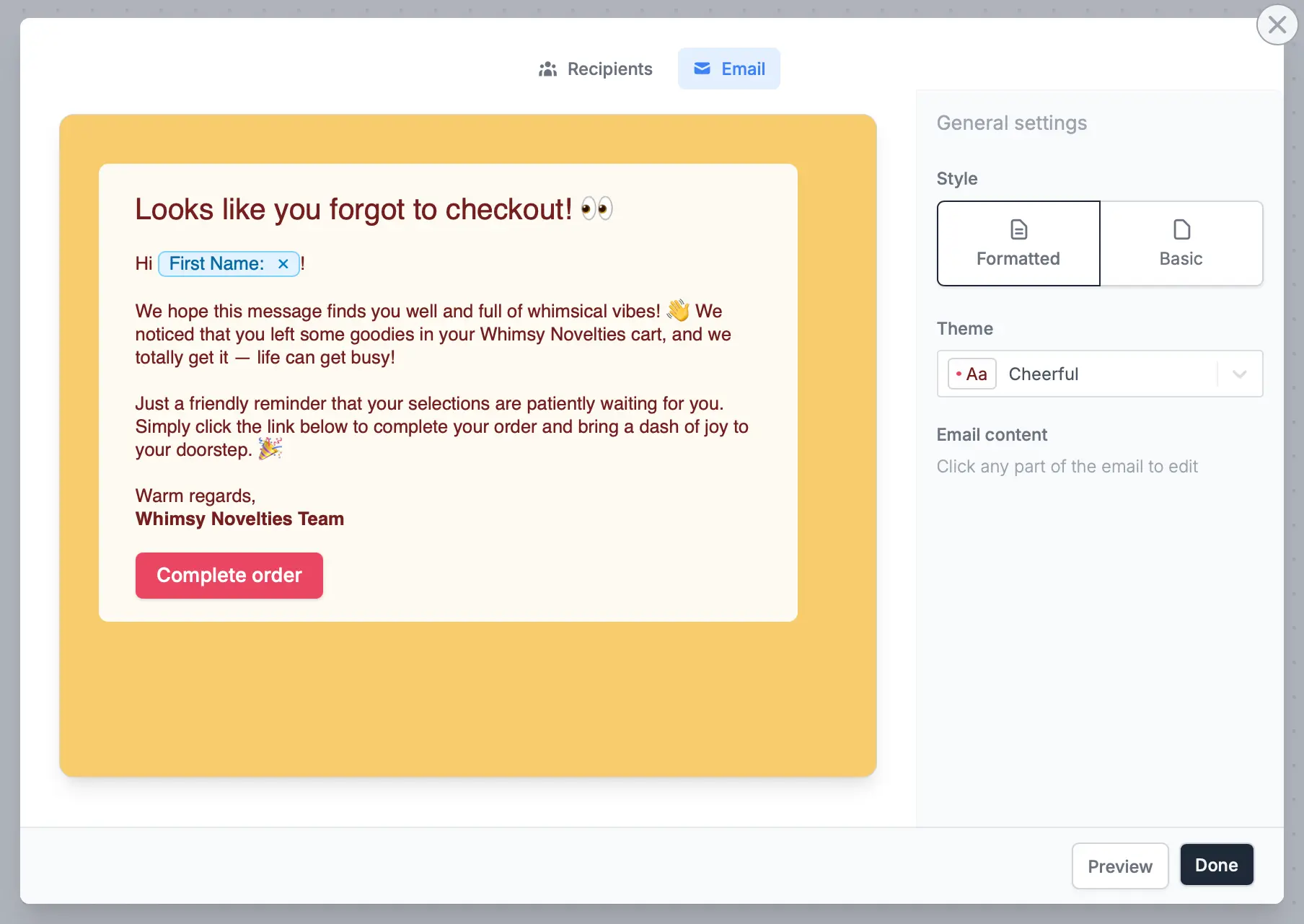
5
Publish and share
Test your workflow through the upper right corner, then click Publish when you’re good with it. Respondents will now receive a link to their partial submission, allowing them to continue their submission on any device.To edit this workflow, go to Integrate from the top menu.Send via Slack message
Edit Slack action to connect your Fillout account to your Slack workspace.
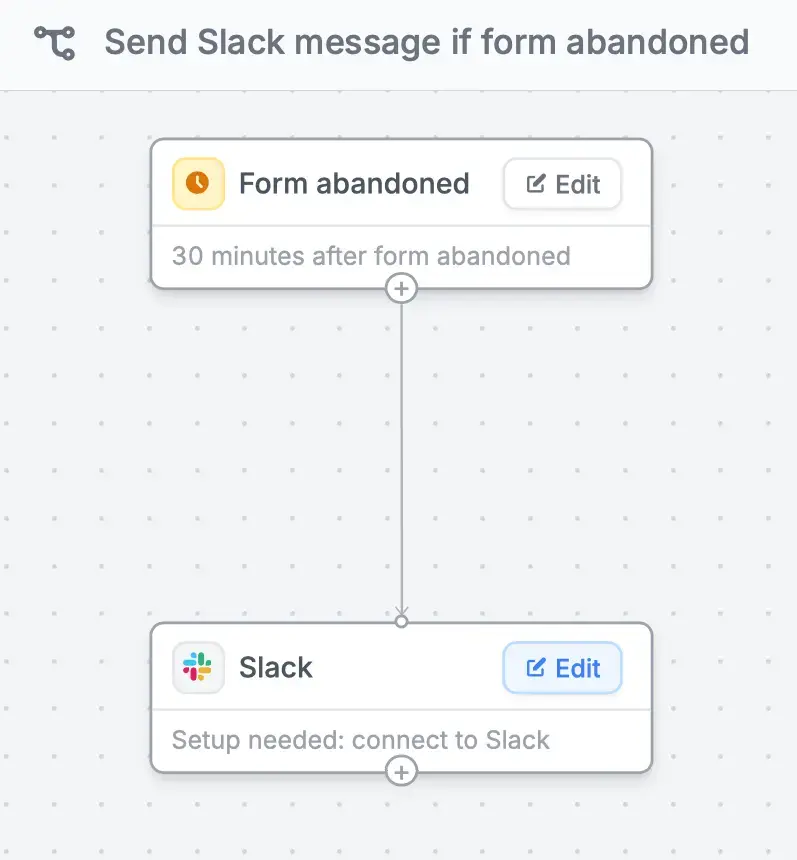
Receive notifications when a respondent abandons your form
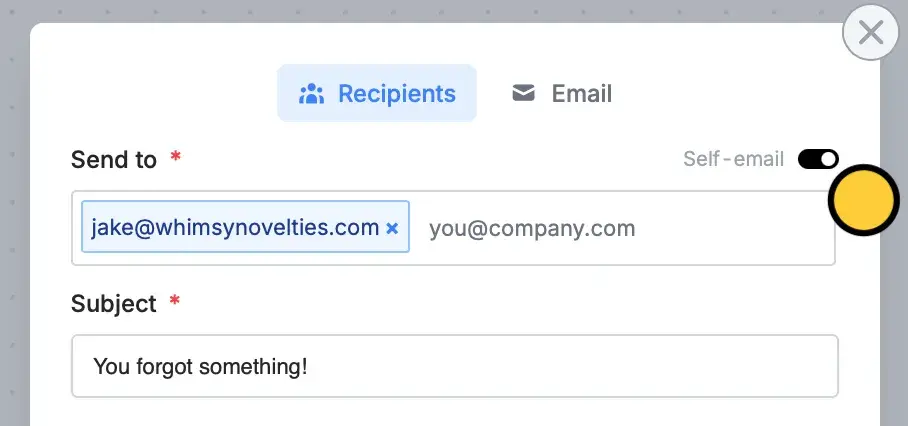
Toggle theSelf-email notifications switch. The email linked to your Fillout account serves as the default receiving address. This can be changed by clicking x and entering a different email.
Related articles
Conversion Kit
Enrich and validate emails, route leads, and more.
Partial submissions
Auto-save progress so respondents can resume later.
Lead enrichment
Route leads to different pages based on company details.