

Introduction
The Fillout API lets you access information about your Fillout account programmatically, without using the Fillout site. It is primarily for Fillout users and for 3rd party developers that want to build services on top of Fillout or access their submission data. You can access a list of all your forms and the submissions for each form via the API.Authentication
Generate and view your API key in theDeveloper settings tab of your account. You can revoke or Regenerate your API key at any time via the dashboard.

Authorization header in the following format:
<your-api-key> with the API key obtained from your Fillout account.
If you’re self-hosting Fillout or using the EU agent, a different URL will appear in the dashboard.
You can also use access tokens granted via a Fillout 3rd party integration. If you’re looking to build an integration, see this article.
Find a question’s ID
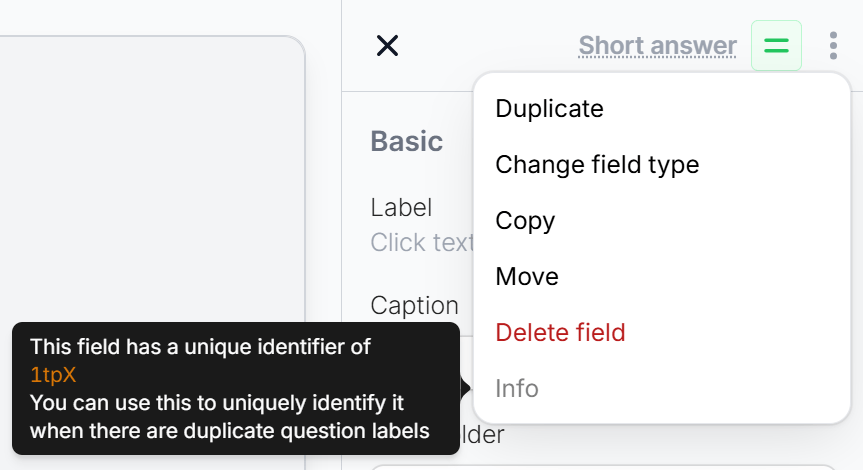
Responses from the API identify each question by its ID, like"id": "abcdef". To find a question’s ID, open your form in the editor, click the three dots on the question, and hover over Info.
Rate limits
All endpoints above are limited to being called no more than 5 times per second, per Account/API key.Related article
Create Fillout Apps
Build integrations that link Fillout with 3rd party apps.