

What is a record picker?
A record picker links entries from one database to another, so you can see related information in one place. Think of it like linking two pieces of a puzzle; instead of copying data from one table to another, you just point to it. For example, you have a Projects database and a Clients database. With a record picker, you can link a project to a client without retyping any client info. Everything stays connected and up-to-date automatically.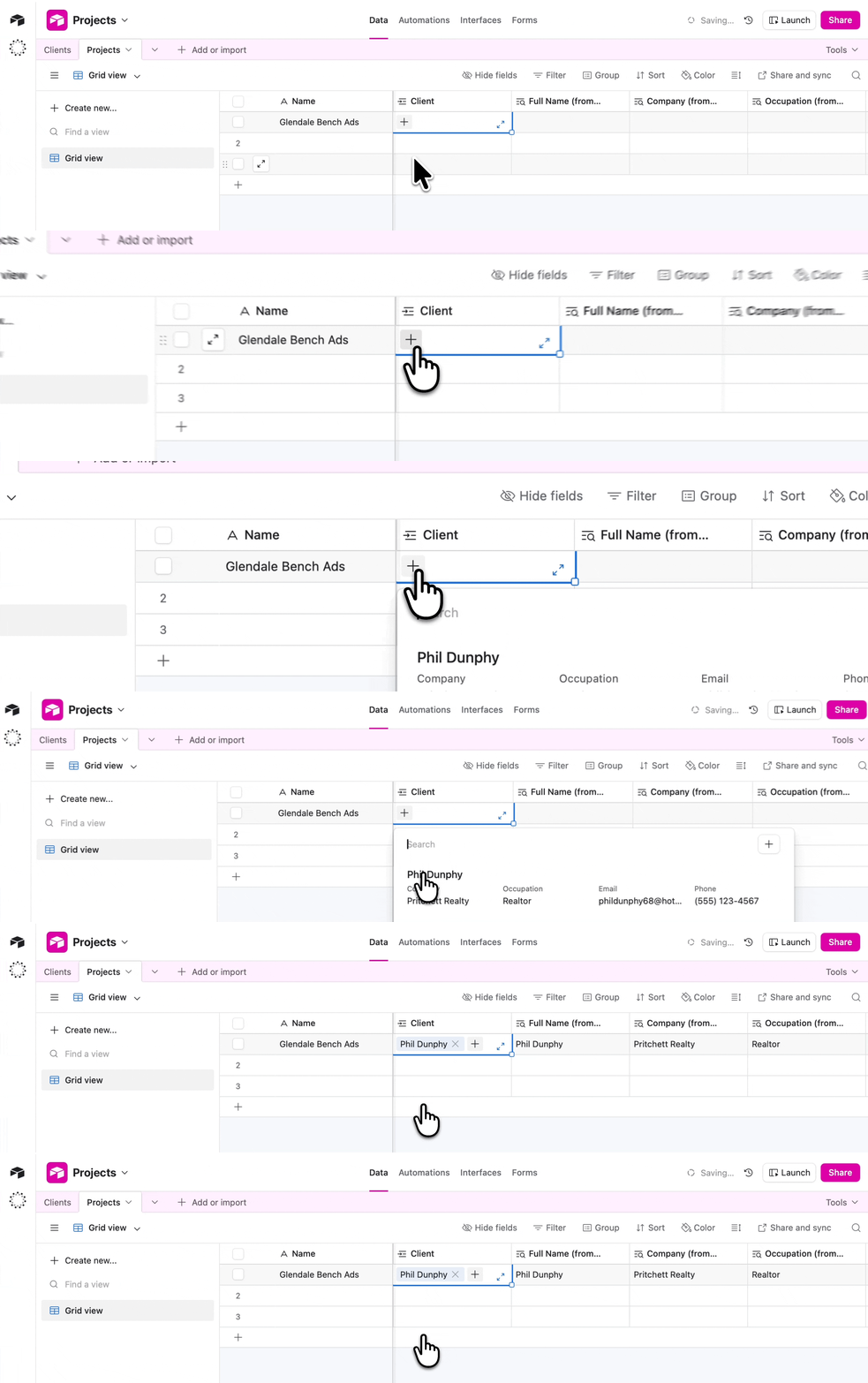
- Airtable / SmartSuite / Zite Database → Linked record field
- Notion → Relation
- Monday → Connected board column
- Salesforce → Master-detail relationship
How it works
In Fillout, the record picker field enables respondents to: This field is great for avoiding duplicate entries, keeping your data organized and making it easy to navigate between related records.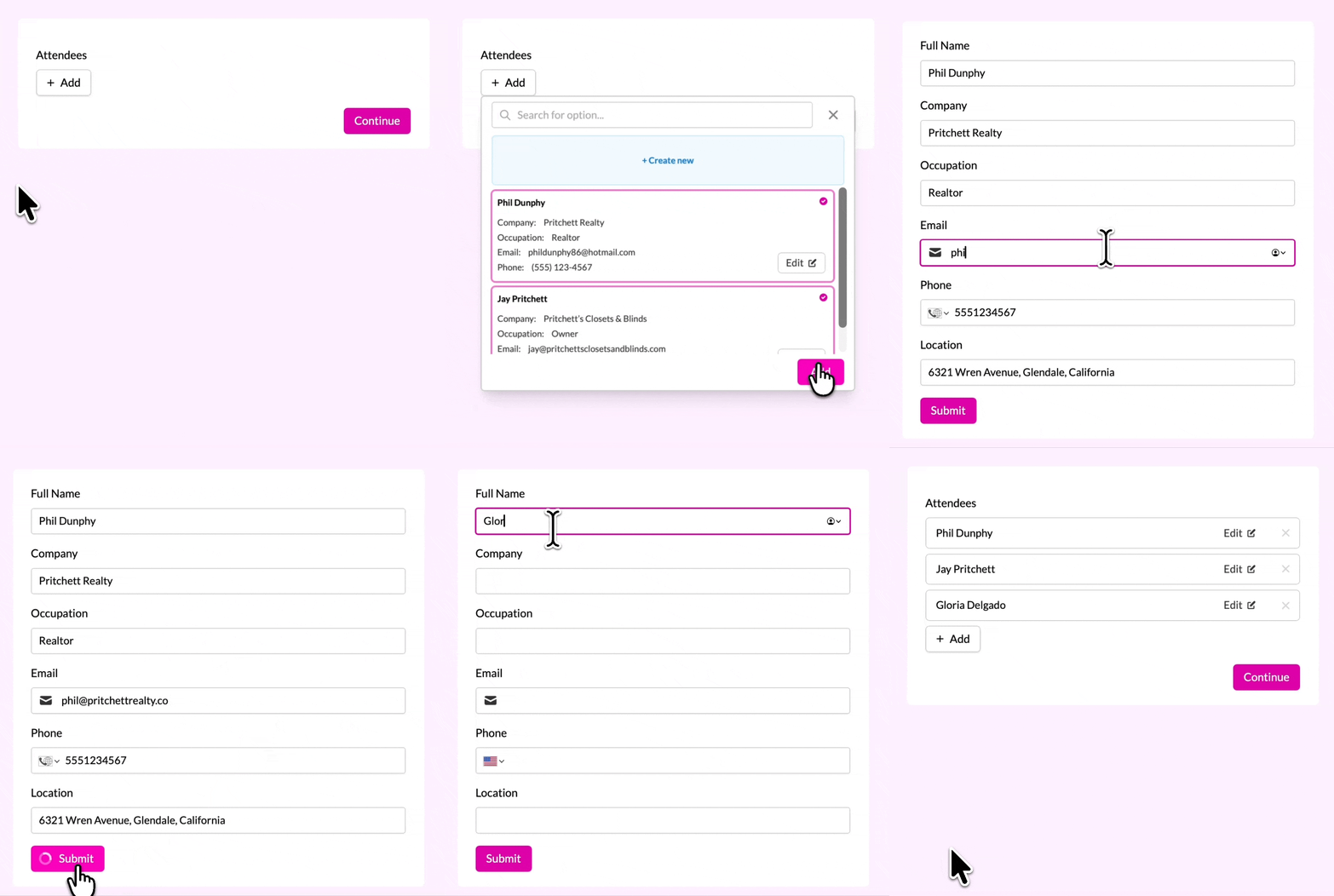
How to pre-fill a record picker
You can pre-fill a record picker using the record’s Airtable Record ID. In this video, we show how to pre-fill a record picker using a URL parameter.Prevent respondents from changing the record picker
You can choose to always conditionally hide the record picker.Reference fields from the chosen Airtable record
Personalize your form by referencing fields in your form.Advanced customizations
In the right-hand panel, scroll down to Advanced. Here, you can customize how records are displayed and selected. You can set:- Fields to show - select which fields are visible in the dropdown
- Field to search by - choose a different field to search by other than the primary field. Email notifications show this field’s value for the selected record. If it isn’t set, they show Answered instead.
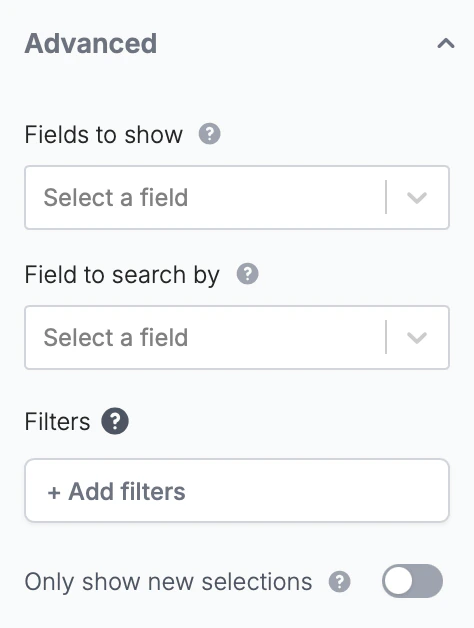
- Filters - to limit which records can be selected in the dropdown
- Require all filters - only show records once every filter can be applied
- Limit to view (if database supports views) - restrict records to a specific view from your table and keep that view’s sorting order
Records follow your table’s order by default. This cannot be configured in Fillout. To change the sorting, create a view in your database with your preferred order.
Filters narrow the list of records respondents can choose from. Filters are now applied on the server, rather than relying on values supplied by the respondent’s browser. They’re still the right tool for keeping a dropdown short and relevant. If a record shouldn’t be reachable by the people filling out your form, keep it out of the table the picker is linked to.
Related articles
Pre-fill fields
Pre-populate fields based on previous inputs and more.
Hide fields
Hide or show fields based on answers, URL parameters or data.